Choose Your Native Language
When you first open ChitrChat, select the language you speak daily. The entire app interface switches to your chosen language — select Spanish and everything displays in Spanish, select French and it displays in French.
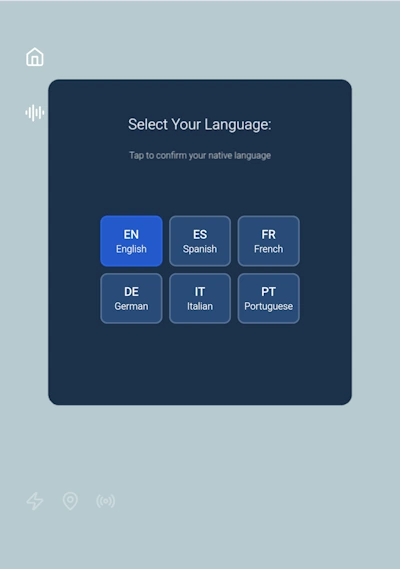
From this screen you can also:
- Home icon — returns you to the main language selection screen at any time.
- Sound icon — toggles background music on or off.
Select Your Level
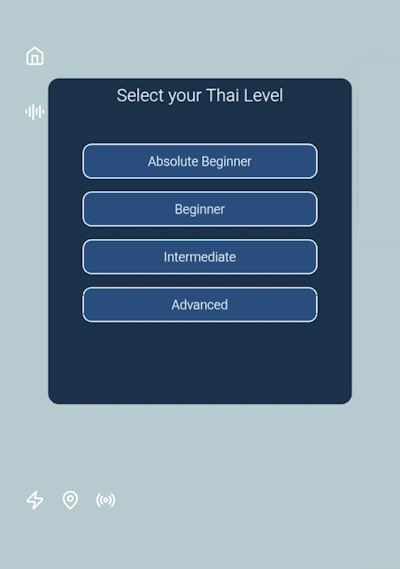
Choose the Southeast Asian language you want to learn, then select your proficiency level. Your AI language teacher adapts every lesson and conversation to your level — whether you're a complete beginner learning Thai for the first time or an intermediate student polishing your Vietnamese.
Select a Unit and Topic
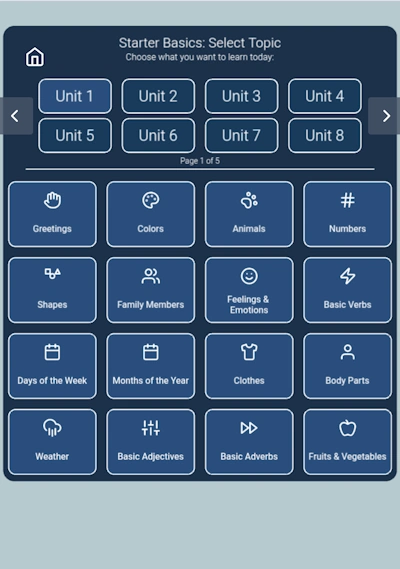
Browse and choose from 35 Units, each covering a different area of the language — from everyday survival phrases and food to travel, culture, and business. Tap a unit to see its available topics.
Surprise Me! 🎲
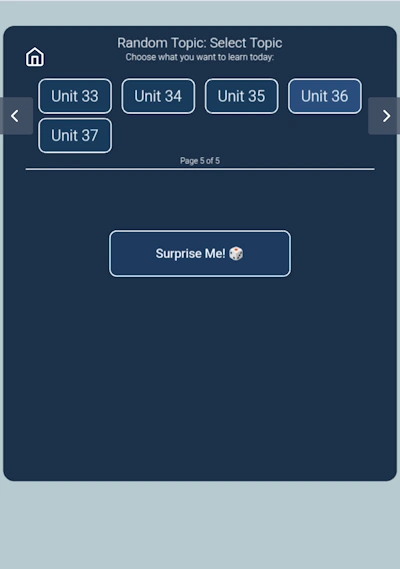
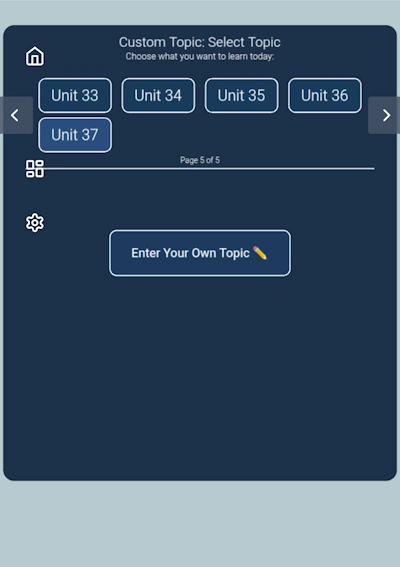
On the last page of the topic selector (page 5 of 5), tap Surprise Me! to let ChitrChat randomly pick a topic for you. Great when you want to practice something unexpected or break out of your usual routine.
Surprise Me! 🎲
On the last page of the topic selector (page 5 of 5), tap Surprise Me! to let ChitrChat randomly pick a topic for you. Great when you want to practice something unexpected or break out of your usual routine.
Enter Your Own Topic ✏️
Also on page 5, tap Enter Your Own Topic to type in any subject you want to practice. Want to discuss cooking, your job, a recent trip, or something specific you encountered that day? Your AI language tutor will build a lesson around it.
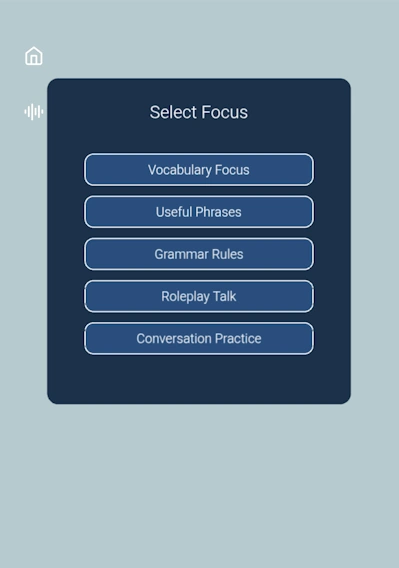
Choose Your Lesson Focus
Select what you want to practise in your AI conversation practice session:
- Vocabulary Focus — build and review words with spaced repetition
- Useful Phrases — practical, everyday expressions
- Grammar Rules — understand how the language works
- Roleplay Talk — simulate real-life situations with your AI tutor
- Conversation Practice — free-flowing chat with your AI language teacher
At the end of any lesson mode, say "Goodbye" and the teacher will give you a lesson summary.
Select Your Teacher and Gender
Choose your AI teacher avatar — Teacher Jane (female) or Teacher Ben (male) — then select your gender: Female, Male, or Neutral.
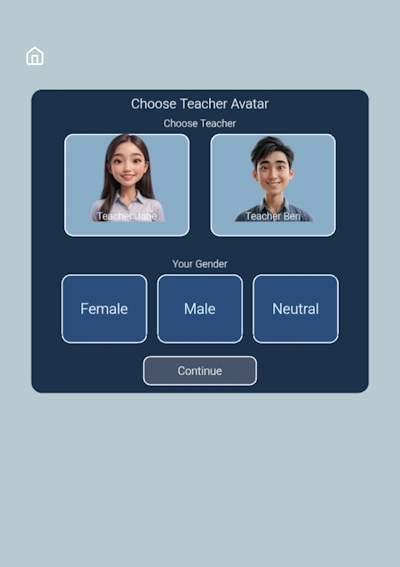
The gender selector matters because teachers use different pronouns when addressing you — especially important in Thai, where pronoun use is closely tied to gender and politeness level. Your AI language teacher will always address you naturally and correctly based on your selection.
Choose Text or Voice Chat
Select how you want to interact with your AI language teacher — tap the chat bubble for text chat or the microphone for voice chat language learning.
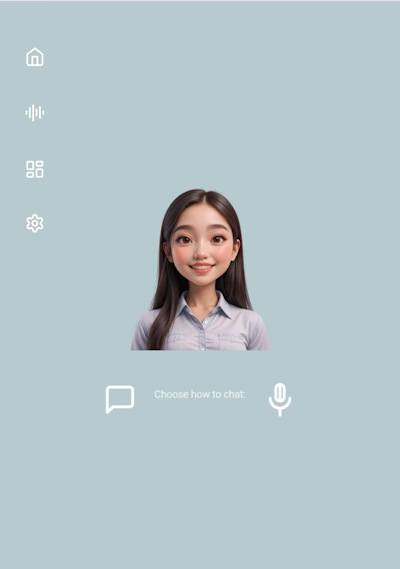
- Puzzle icon — goes back to topic selection.
- Gear icon — goes back to the teacher/avatar selector.
Text Chat Mode
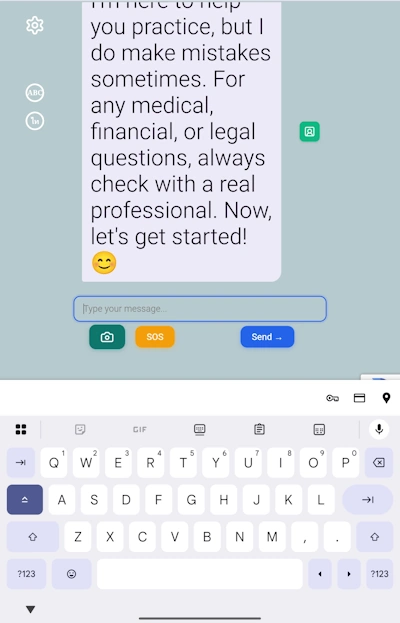
Type your message in your native language or the language you're learning. Your AI language teacher replies instantly.
Transcript Controls
Two buttons in the upper-left control how the teacher's reply is displayed:
- ABC button (default) — shows the target language script, phonetic transcription, and your native language translation together. Ideal for new learners.
- TH button — shows the reply in the target language script only. Good for intermediate and advanced students.
Input Controls
- Send — submits your message.
- SOS — stuck for words? Your AI tutor will suggest a natural reply to keep the lesson going.
- Camera icon — lets your teacher see what you see. Photograph your surroundings, an object, or text (a menu, a sign, a product label) and your AI language teacher will build a conversation around it. This real-time camera translation feature turns everyday life into a language lesson — perfect for travelers learning Thai or Vietnamese on the go.
Voice Chat Mode
Practice Thai speaking online — or any supported Southeast Asian language — with ChitrChat's voice chat mode. It's the closest experience to a real conversation with an AI language tutor.
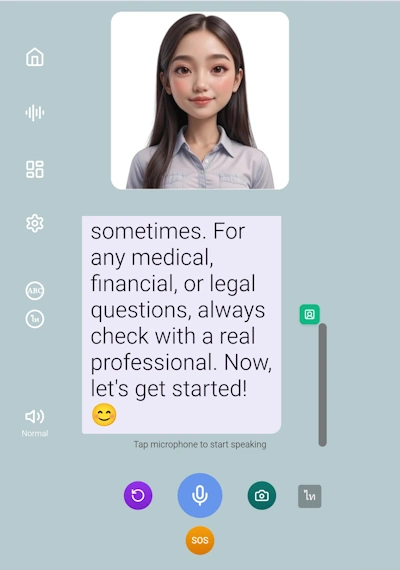
Tap (or hold) the Mic button to speak. You can speak in either your native language or the language you're learning — your AI teacher understands both. Speak clearly; device microphones may miss words in noisy environments.
Voice Input Language
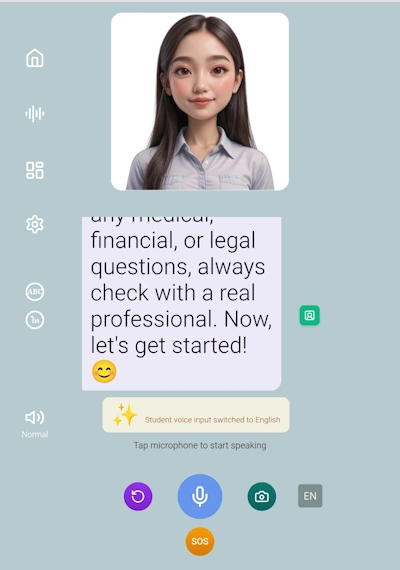
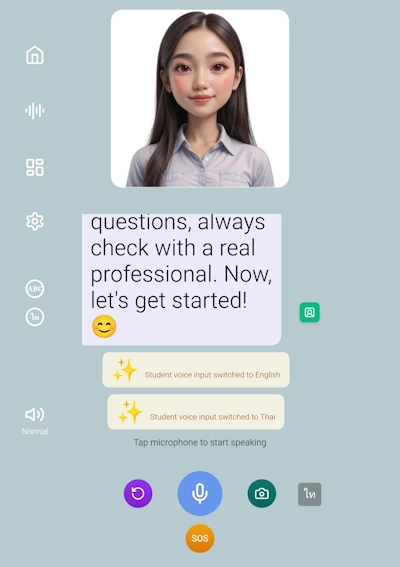
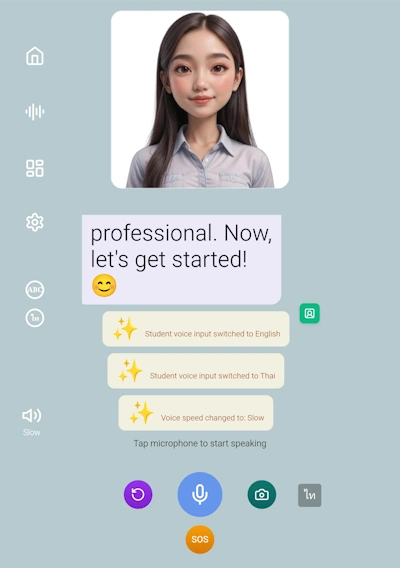
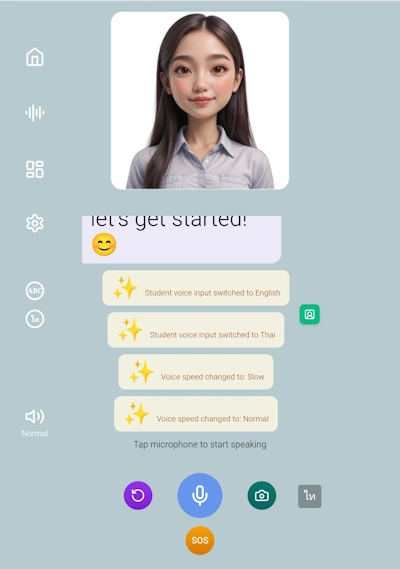
Tap the TH button (bottom-right) to switch your voice input between the target language and your native language. A status notification confirms the switch.
Teacher Speech Rate
Tap the Speaker icon (bottom-left) to toggle between Normal and Slow speech rate. Switch to Slow when studying new sounds or grammar; switch back to Normal when you're ready.
Transcript Language in Voice Mode
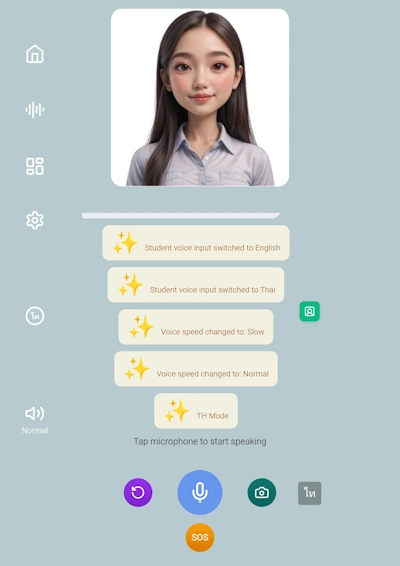
Tap the TH Mode button to switch the on-screen transcript between phonetic (ABC) and native script (TH) mode, just as in text chat.
Other Voice Controls
- Purple Replay button — hear the teacher's last reply again.
- Green Portrait button — toggles the teacher's speaking animation on or off. Tap it to hide the animation when you don't need it, and tap it again when you want to see your teacher's mouth moving in sync with the words.
- SOS button — same as in text mode; your AI tutor suggests what to say next.
Flashcards
As your AI teacher replies, look for blue-underlined words in the chat. Tap any underlined word to open a popup showing the word, its pronunciation, and translation — then tap + Save to Flashcard to add it to your personal deck.
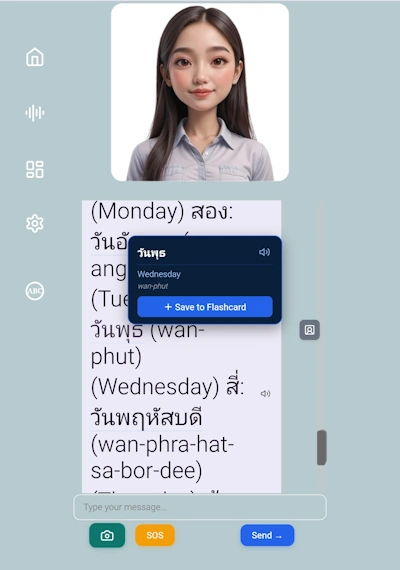
ChitrChat's built-in spaced repetition flashcard system automatically schedules reviews so you see words again right before you're likely to forget them — one of the most effective methods for long-term vocabulary retention. Review your saved words anytime through the Flashcards section.
Quick Features
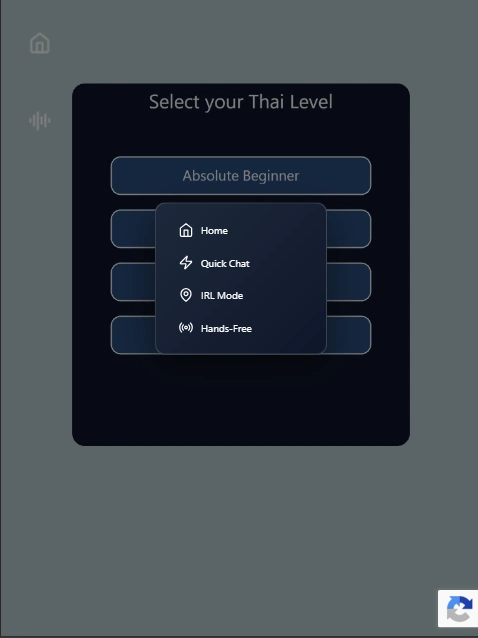
Three shortcut icons give you fast access to ChitrChat's most powerful real-world features.
Quick Chat
Skips unit, topic, and focus selection. Jump straight to the teacher selector and into open AI conversation practice — ideal when you just want to speak without setting up a structured lesson.
IRL Mode
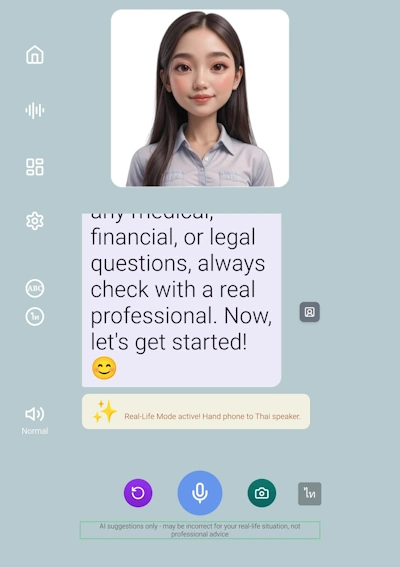
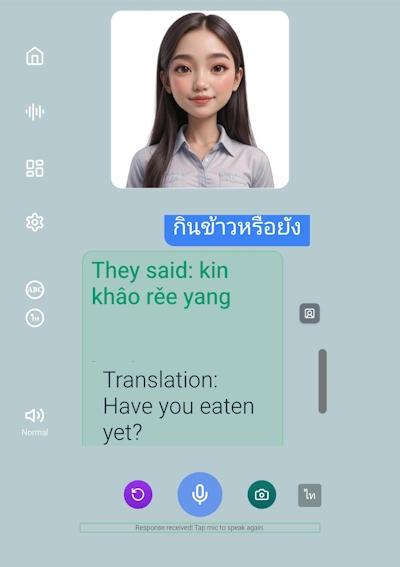
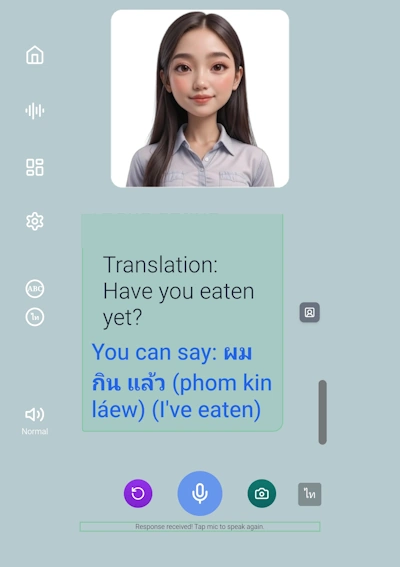
In Real Life mode. Hand your phone to a native speaker — they speak in their language, and your AI language teacher translates what they said and suggests how you can reply. Perfect for restaurants, markets, or practising with local friends.
Hands-Free Mode
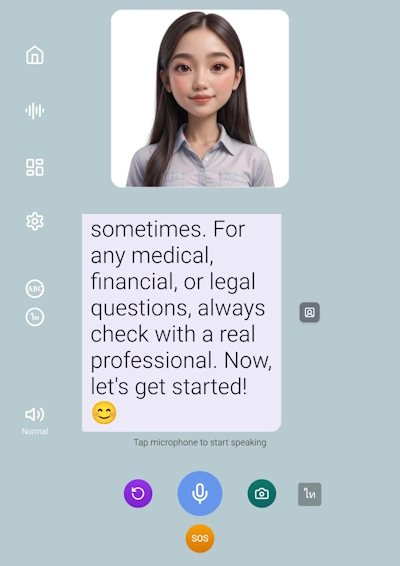
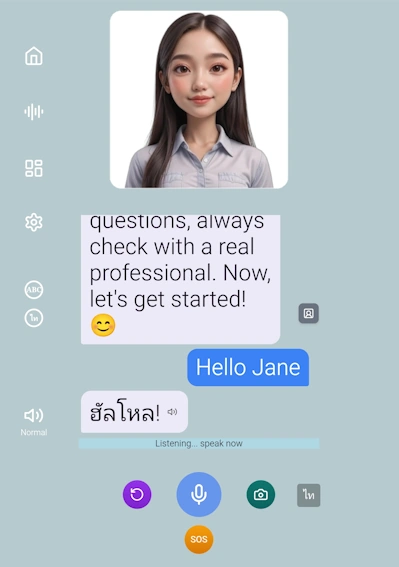
Wake your teacher by saying "Hello [teacher name]". The mic stays open and you can chat continuously — like being on a video call with your AI language tutor. To end the chat, just say "Goodbye". Available with female teachers only.
Hands-Free Mode — Step by Step
IRL Mode — Step by Step
Tips for Getting the Most Out of ChitrChat
It's not cheating — it keeps your AI conversation practice going and shows you natural ways to respond.
Photographing real menus, signs, and objects turns everyday life into a language lesson. Real-time language translation built into your learning.
Use Slow rate when studying new grammar or sounds. Switch back to Normal once you're comfortable.
Every real-world interaction with a native speaker is a live lesson opportunity.
Tap blue-underlined words as they appear — vocabulary saved in context sticks far better than reviewing lists later.
The most immersive way to practice — like a real conversation with your AI language tutor, no tapping required.